Laptop overheating is frustrating and often leads to slow performance, loud fans, and unexpected shutdowns. If you ignore heat problems, your laptop may suffer permanent hardware damage or a shortened lifespan.
Understanding the most common laptop overheating causes helps you prevent serious issues and keep your device running smoothly. In this guide, we’ll explain why laptops overheat and share simple prevention tips you can follow.
Why Laptop Overheating Matters
Excess heat puts stress on critical components like the CPU, GPU, and battery. When temperatures rise too high, your laptop activates safety features to protect itself. These protections often reduce performance or shut the system down completely.
You might notice several warning signs before serious damage occurs, such as:
- Sudden performance slowdowns
- Loud cooling fans
- Random shutdowns or restarts
- A very hot keyboard or bottom panel
- Reduced battery life
If these symptoms appear frequently, your laptop likely struggles with heat buildup.
Common Laptop Overheating Causes
Several problems can cause a laptop to overheat. Most issues relate to airflow restrictions, internal dust, or heavy system workloads.
Blocked Air Vents
Laptops depend on small vents to release heat from internal components. When something blocks these vents, hot air stays trapped inside the system.
Many people use their laptops on beds, couches, or blankets. Soft surfaces press against the ventilation areas and prevent proper airflow. A hard, flat surface allows the cooling system to move air effectively and keeps temperatures lower.
Dust Buildup Inside the Laptop
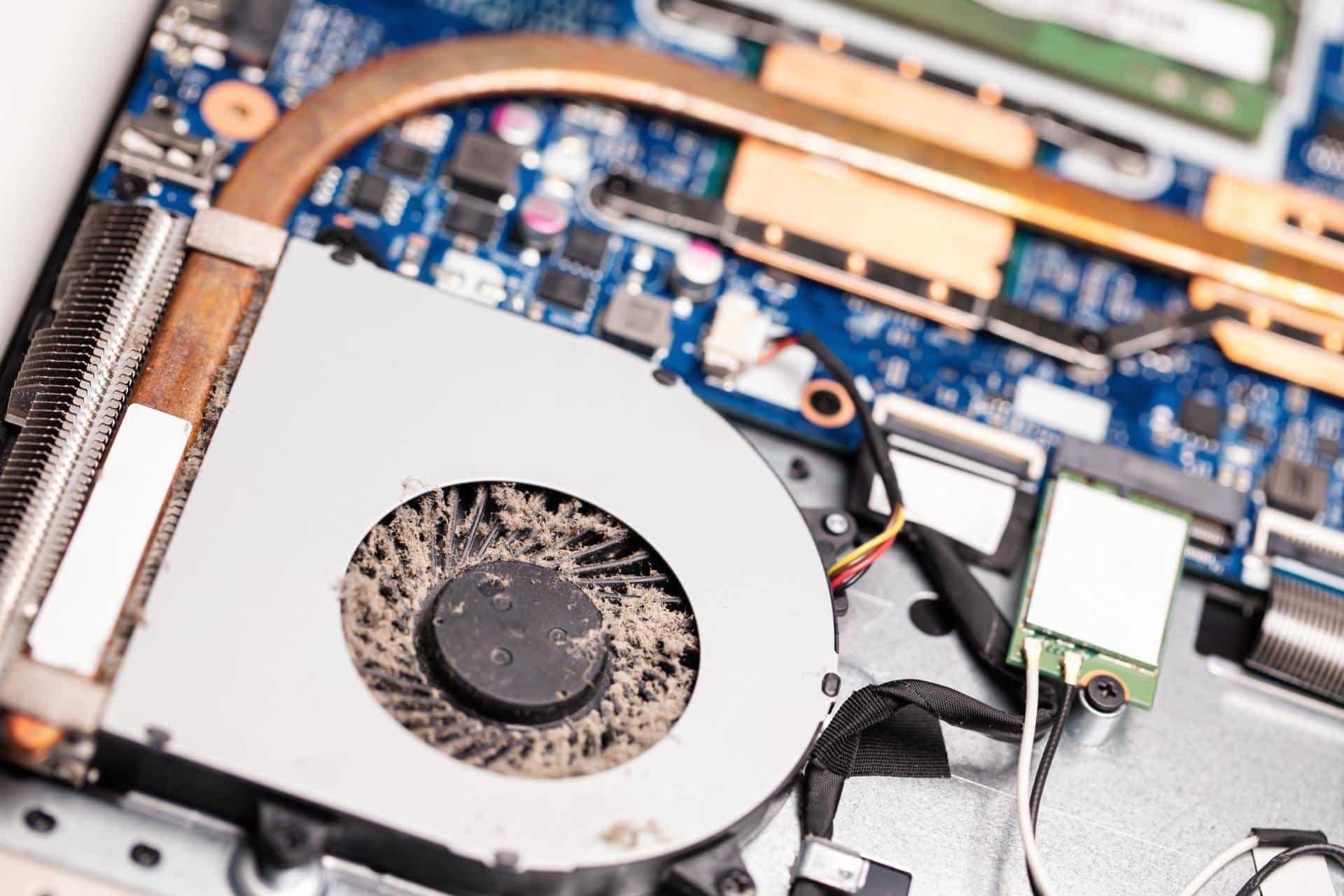
Dust collects inside laptops over time and interferes with the cooling system. When dust clogs the fans or heatsinks, airflow decreases, and heat remains trapped.
You may notice constant fan noise or higher temperatures even during light tasks. Regular cleaning helps maintain proper cooling performance and prevents overheating caused by dust buildup.
Running Too Many Programs
Heavy multitasking can generate large amounts of heat. When multiple demanding applications run at the same time, the processor and graphics hardware must work harder.
Programs that commonly increase laptop temperatures include:
- Video editing software
- Modern games
- Multiple browser tabs with streaming video
- Background applications running simultaneously
Reducing system workload helps your laptop maintain safer operating temperatures.
Old Or Degraded Thermal Paste
Thermal paste transfers heat from the CPU and GPU to the heatsink. Over time, this material dries out and loses effectiveness. When that happens, heat cannot move away from the processor efficiently.
Older laptops often experience overheating due to worn thermal paste. Replacing it restores proper heat transfer and improves cooling performance.
Malfunctioning Cooling Fans
Cooling fans push hot air out of the laptop and bring cooler air into the system. When a fan stops working correctly, temperatures can rise quickly.
Common signs of fan problems include unusual grinding noises, sudden temperature spikes, or overheating during simple tasks. A repair technician can inspect the cooling system and replace faulty fans if necessary.
Practical Tips To Prevent Laptop Overheating
You can prevent many overheating issues with simple habits and regular maintenance.
First, focus on airflow. Always place your laptop on a solid desk or table rather than a soft surface. Elevating the rear of the laptop slightly can also improve air circulation and reduce heat buildup. Many people use laptop stands for this reason.
Regular cleaning also helps prevent heat problems. Dust removal keeps vents clear and allows fans to move air properly. You can use compressed air to clean external vents and remove loose debris from the keyboard area.
If your laptop contains heavy internal dust, a technician can perform a deeper cleaning.
Managing your system workload also plays a major role in temperature control. Closing unused browser tabs, shutting down background programs, and avoiding multiple demanding apps at once can reduce heat generation.
Monitoring your system with tools like Task Manager can help identify resource-heavy programs.
Some users also benefit from cooling pads. These accessories place additional fans beneath your laptop to improve airflow and reduce temperatures during long work sessions or gaming.
Finally, keep your system updated. Operating system updates, graphics drivers, and firmware updates often include improvements that help manage power usage and cooling efficiency.
When to Seek Professional Laptop Repair
Sometimes overheating points to deeper hardware problems. You may need professional help if your laptop shuts down frequently due to heat, produces loud fan noises, or reaches extremely high temperatures during normal tasks.
A technician can clean internal components, replace thermal paste, repair cooling fans, and diagnose hardware issues that cause overheating.
Addressing these problems early protects your device and prevents more expensive repairs later.
Frequently Asked Questions
Why does my laptop overheat so quickly?
Your laptop may overheat quickly because of blocked vents, internal dust buildup, or demanding applications. Poor airflow remains one of the most common causes.
How can I tell if my laptop runs too hot?
Signs include loud fan noise, slow performance, hot surfaces, and unexpected shutdowns. Temperature monitoring software can also help confirm overheating.
Will overheating damage my laptop?
Yes. Continuous overheating can damage internal components like the CPU, battery, and motherboard. Preventing heat buildup helps extend the lifespan of your laptop.
What temperature is too hot for a laptop?
Most laptops operate safely between 86°F and 185°F, depending on workload. Temperatures consistently above this range often indicate a cooling problem.
If you address laptop overheating causes early, you can improve performance, protect your hardware, and extend the life of your device.
PakarPBN
A Private Blog Network (PBN) is a collection of websites that are controlled by a single individual or organization and used primarily to build backlinks to a “money site” in order to influence its ranking in search engines such as Google. The core idea behind a PBN is based on the importance of backlinks in Google’s ranking algorithm. Since Google views backlinks as signals of authority and trust, some website owners attempt to artificially create these signals through a controlled network of sites.
In a typical PBN setup, the owner acquires expired or aged domains that already have existing authority, backlinks, and history. These domains are rebuilt with new content and hosted separately, often using different IP addresses, hosting providers, themes, and ownership details to make them appear unrelated. Within the content published on these sites, links are strategically placed that point to the main website the owner wants to rank higher. By doing this, the owner attempts to pass link equity (also known as “link juice”) from the PBN sites to the target website.
The purpose of a PBN is to give the impression that the target website is naturally earning links from multiple independent sources. If done effectively, this can temporarily improve keyword rankings, increase organic visibility, and drive more traffic from search results.