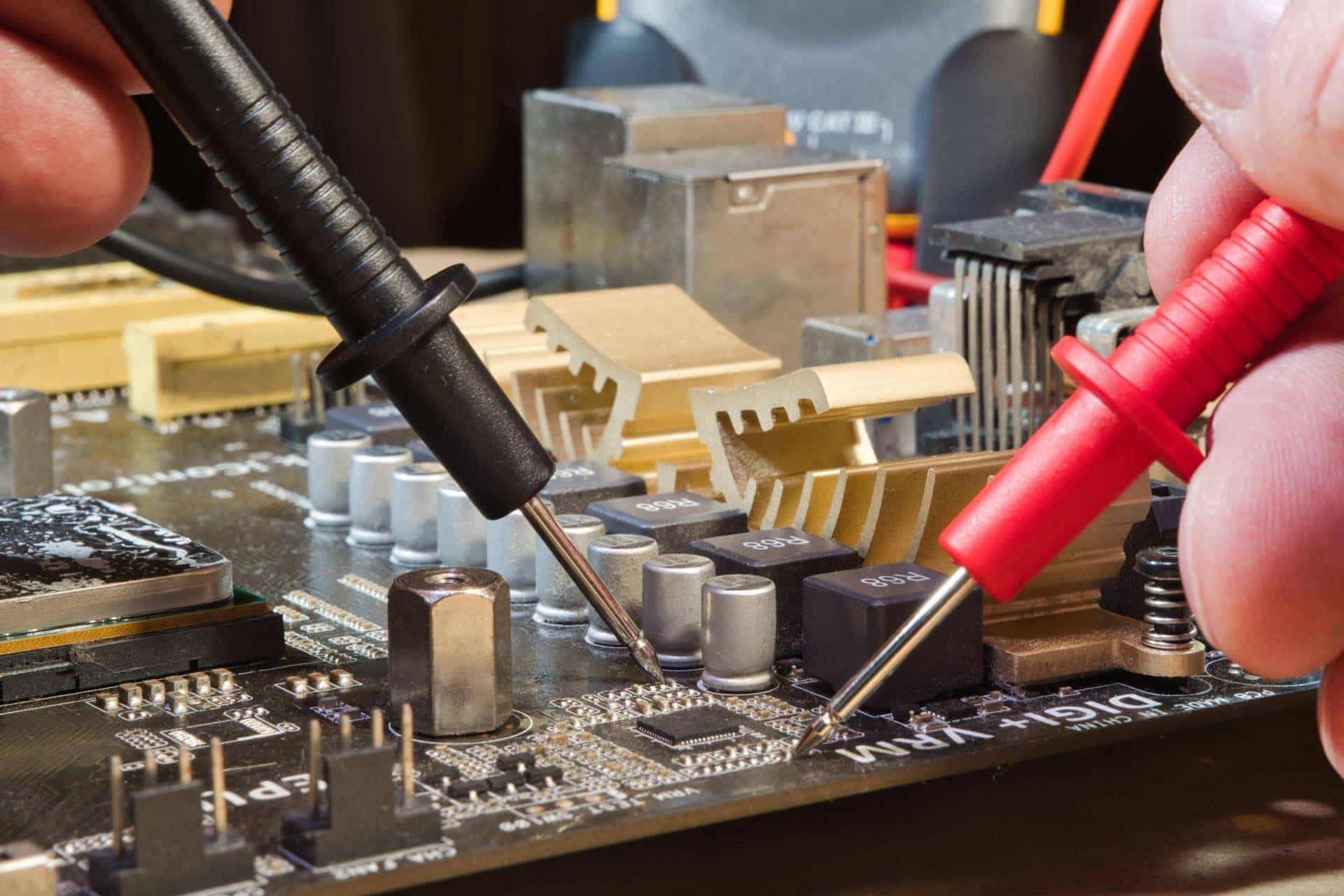
Your computer’s motherboard is one of the most important components inside your device. It connects the processor, memory, storage, graphics card, and nearly every other piece of hardware that keeps your computer running properly. When the motherboard begins to fail, even small issues can quickly turn into major problems.
The good news is that many failing motherboards show warning signs before they completely stop working. Recognizing those symptoms early can help you avoid data loss, expensive repairs, and unexpected downtime.
If your computer has started acting strangely, here are some common motherboard failure signs to watch for.
Random Freezing And Crashing
One of the earliest signs of motherboard failure is frequent system instability. If your computer suddenly freezes, crashes, or restarts without warning, the motherboard could be struggling to maintain communication between components.
You may notice:
- Random blue screen errors
- Programs closing unexpectedly
- Sudden shutdowns
- Restart loops
- System crashes during normal tasks
While software issues can also cause crashes, recurring instability often points to underlying hardware problems.
Your Computer Won’t Power On Properly
A failing motherboard may prevent your computer from starting correctly. In some cases, the device may not power on at all. Other times, it may partially boot before shutting down again.
Common startup symptoms include:
- Black screens during startup
- Fans spinning without display output
- Beeping sounds during boot
- Power cycling on and off repeatedly
- Delayed startup times
Motherboard damage can interrupt power delivery throughout the system, causing inconsistent behavior during startup.
USB Ports And Connected Devices Stop Working
The motherboard controls communication between your computer and external devices. If ports suddenly stop functioning or devices disconnect randomly, the motherboard may be developing issues.
Warning signs include:
- USB devices disconnecting unexpectedly
- External monitors not being detected
- Keyboard or mouse failures
- Audio ports malfunctioning
- Wi-Fi or Bluetooth problems
When multiple ports or hardware components fail at the same time, it’s often more than a simple driver issue.
Overheating Problems
Excess heat can damage motherboard components over time. If your computer consistently overheats even after cleaning the fans and vents, the motherboard may already be affected. Ignoring overheating problems can lead to permanent hardware damage if left untreated.
Signs of overheating include:
- Loud cooling fans are running constantly
- Sudden shutdowns during heavy use
- Hot surfaces around the keyboard or case
- Reduced system performance
- Burning smells or unusual heat
Strange Visual Or Audio Issues
A failing motherboard can interfere with graphics, sound, and overall system communication.
You might notice:
- Flickering screens
- Distorted graphics
- Audio crackling or cutting out
- Random display glitches
- Screen freezing during use
Because the motherboard manages communication between components, these problems can appear inconsistent and difficult to diagnose without professional testing.
Physical Signs Of Motherboard Damage
In some cases, motherboard problems become visible. If you’re comfortable inspecting your device safely, look for obvious signs of damage inside the computer.
Visible Motherboard Damage May Include
- Burn marks or discoloration
- Bulging capacitors
- Corrosion from liquid exposure
- Loose or damaged connections
- Dust buildup causing overheating
Liquid damage is one of the most common causes of motherboard failure in laptops and desktop computers. Even small spills can create corrosion that worsens over time.
Don’t Ignore Early Warning Signs
Many people continue using their computer after noticing small performance issues, but motherboard problems rarely fix themselves. Delaying repairs can increase the risk of complete system failure and data loss.
Professional diagnostics can help identify the root cause of the issue before more expensive damage occurs.
Get Expert Apple Computer Repair at The Lab
If your Apple computer is showing signs of motherboard failure, don’t wait until it stops working entirely. Early diagnosis and repair can often save time, money, and important data.
The Lab provides trusted computer repair services designed to get your devices back up and running as quickly as possible. Whether you’re dealing with startup problems, overheating, hardware failures, or liquid damage, our team is here to help.
Frequently Asked Questions
What causes motherboard failure?
Motherboard failure can result from overheating, power surges, liquid damage, aging components, dust buildup, or manufacturing defects.
Can a failing motherboard be repaired?
In many cases, yes. Professional technicians can often repair damaged motherboard components depending on the extent of the issue.
How do I know if my motherboard is failing or if it’s another component?
A professional diagnostic test is the best way to identify whether the motherboard or another component is causing the problem.
Will motherboard failure cause data loss?
It can. If the motherboard completely fails, accessing your data may become more difficult, especially if additional hardware damage occurs.
Is it worth repairing a motherboard?
That depends on the age of the device, repair cost, and overall condition of the computer. A technician can help you determine the best option.
PakarPBN
A Private Blog Network (PBN) is a collection of websites that are controlled by a single individual or organization and used primarily to build backlinks to a “money site” in order to influence its ranking in search engines such as Google. The core idea behind a PBN is based on the importance of backlinks in Google’s ranking algorithm. Since Google views backlinks as signals of authority and trust, some website owners attempt to artificially create these signals through a controlled network of sites.
In a typical PBN setup, the owner acquires expired or aged domains that already have existing authority, backlinks, and history. These domains are rebuilt with new content and hosted separately, often using different IP addresses, hosting providers, themes, and ownership details to make them appear unrelated. Within the content published on these sites, links are strategically placed that point to the main website the owner wants to rank higher. By doing this, the owner attempts to pass link equity (also known as “link juice”) from the PBN sites to the target website.
The purpose of a PBN is to give the impression that the target website is naturally earning links from multiple independent sources. If done effectively, this can temporarily improve keyword rankings, increase organic visibility, and drive more traffic from search results.


