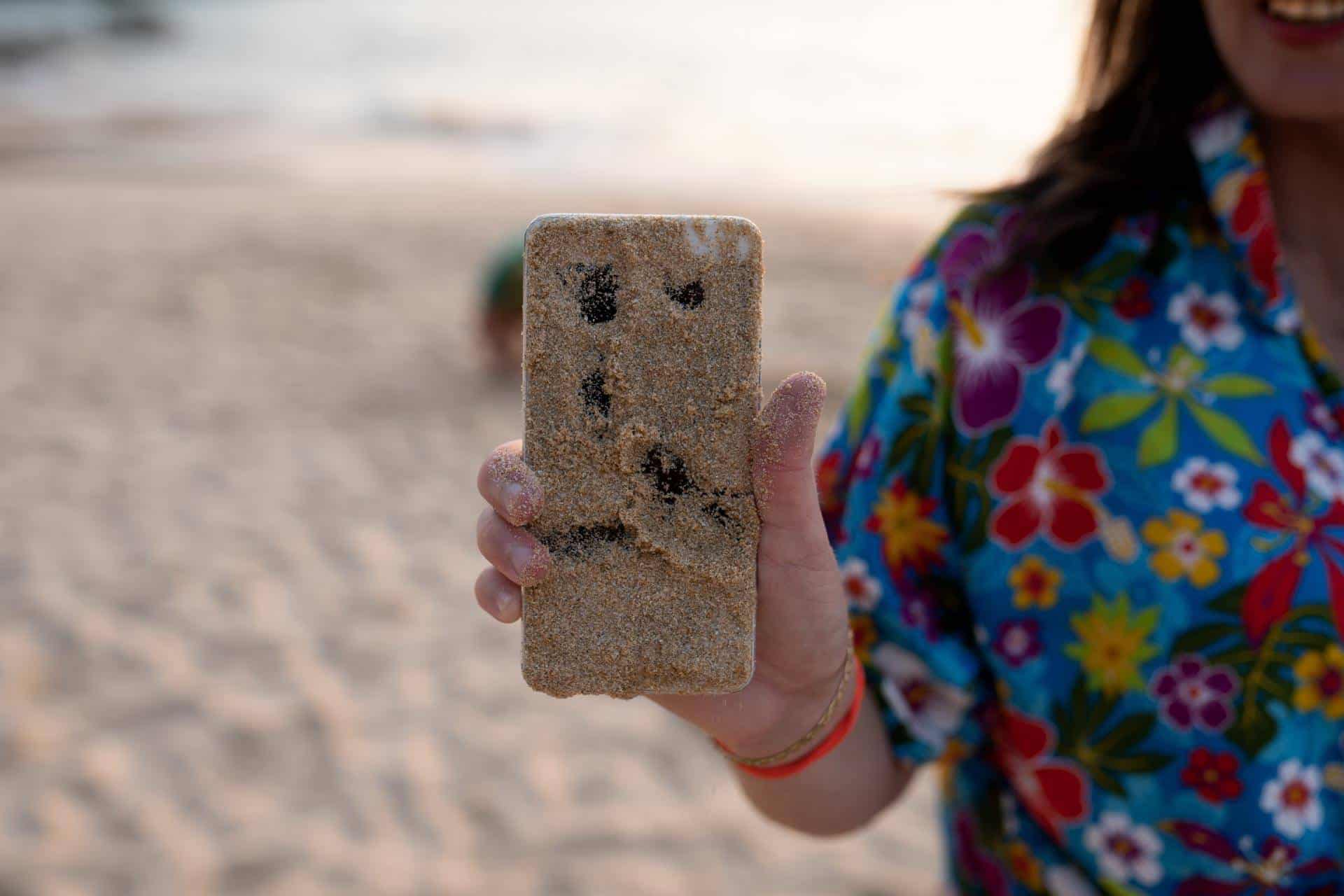
A phone exposed to sand or dust can develop serious performance problems if you ignore the issue. Tiny particles can enter ports, speakers, microphones, and internal components. Even small amounts of debris can interfere with charging, audio quality, and button function.
Quick action helps prevent long-term damage. If your phone comes into contact with sand or dust, follow these steps to clean it safely and protect your device.
How And And Dust Can Damage Your Phone
Modern smartphones include tightly packed internal components and small openings for speakers, microphones, and charging ports. Sand and dust particles can slip inside these openings and create several problems.
Common issues include:
- Charging ports that stop working properly
- Muffled or distorted speaker sound
- Sticky or unresponsive buttons
- Scratches on the screen or camera lens
Sand particles can act like tiny pieces of sandpaper. If they move inside ports or along the screen, they can scratch delicate surfaces.
First Steps After Your Phone Gets Exposed To Sand Or Dust
Act quickly but carefully. Rushing the cleaning process can push debris deeper into your phone.
Start with these simple steps:
- Turn off your phone immediately
- Remove any protective case
- Gently shake the phone to loosen loose debris
- Inspect ports, speakers, and buttons for visible particles
Avoid turning your phone back on until you remove as much debris as possible.
How To Safely Remove Sand Or Dust From Your Phone
Careful cleaning helps protect your device from further damage. Use gentle methods that remove debris without forcing it deeper into the phone.
Carefully Used Compressed Air
Compressed air helps clear sand and dust from ports and speaker openings. Hold the can upright and spray short bursts into the charging port, headphone jack, and speaker areas.
Keep the nozzle several inches away from the phone. Strong blasts of air can push debris further inside if you hold the nozzle too close.
Clean Ports With a Soft Brush
A soft brush works well for removing stubborn particles around ports and seams. Many technicians use small anti-static brushes for this task.
You can also use:
- A clean, soft toothbrush
- A camera lens brush
- A small electronics cleaning brush
Brush gently so you do not damage delicate connectors.
Wipe The Exterior Surfaces
Dust often settles along the edges of the phone and around the camera lens. Use a microfiber cloth to wipe the exterior surfaces.
If needed, lightly dampen the cloth with a small amount of isopropyl alcohol. Make sure the cloth stays slightly damp rather than wet.
Avoid allowing liquid to enter any ports.
Mistakes To Avoid When Cleaning Sand Or Dust From A Phone
Some cleaning methods can cause more damage than the debris itself. Avoid the following mistakes.
- Do not insert metal tools into charging ports
- Do not use water or cleaning sprays directly on the phone
How To Prevent Sand And Dust Damage In The Future
Prevention protects your phone when you visit beaches, construction areas, hiking trails, or dusty environments.
Consider these habits to reduce exposure:
- Use a hard box-style case to keep your device in when you’re not actively using it
- Keep your phone in a pocket or bag when not in use
- Avoid placing your phone directly on sandy surfaces
- Clean your device regularly after outdoor activities
Water-resistant phones often include some dust protection, but they still benefit from extra care in harsh environments.
When To Seek Professional Phone Repair
Sometimes sand or dust enters deeper parts of the phone. If problems continue after cleaning, a technician may need to inspect the device.
You should consider professional repair if you notice:
- Charging problems after sand exposure
- Speaker or microphone distortion
- Buttons that stick or fail to respond
- Debris trapped inside the camera lens
A technician can safely open the device, remove internal dust, and prevent long-term damage.
Schedule Your Repair Appointment
Need help getting your device cleaned or repaired? Schedule an appointment with The Lab today, and our technicians will get your phone working and back in your hands as quickly as possible.
Frequently Asked Questions
What should I do immediately if my phone gets sand in the charging port?
Turn off your phone and gently shake out loose debris. Use compressed air or a soft brush to remove particles from the charging port.
Can sand permanently damage a phone?
Yes. Sand can scratch internal connectors, damage speakers, and interfere with charging if it remains inside the device.
Is it safe to rinse a dusty phone with water?
No. Water can enter ports and damage internal electronics. Dry cleaning methods work much better for removing sand and dust.
How do I know if sand got inside my phone?
Common signs include muffled audio, charging problems, or visible particles inside ports and speaker openings.
Do waterproof phones resist sand and dust?
Many water-resistant phones include some dust protection, but they still allow small particles to enter ports or speakers. Careful cleaning and protective cases help reduce the risk.
If your phone continues to show problems, quick cleaning and professional repair can prevent more serious damage and keep your device working properly.
PakarPBN
A Private Blog Network (PBN) is a collection of websites that are controlled by a single individual or organization and used primarily to build backlinks to a “money site” in order to influence its ranking in search engines such as Google. The core idea behind a PBN is based on the importance of backlinks in Google’s ranking algorithm. Since Google views backlinks as signals of authority and trust, some website owners attempt to artificially create these signals through a controlled network of sites.
In a typical PBN setup, the owner acquires expired or aged domains that already have existing authority, backlinks, and history. These domains are rebuilt with new content and hosted separately, often using different IP addresses, hosting providers, themes, and ownership details to make them appear unrelated. Within the content published on these sites, links are strategically placed that point to the main website the owner wants to rank higher. By doing this, the owner attempts to pass link equity (also known as “link juice”) from the PBN sites to the target website.
The purpose of a PBN is to give the impression that the target website is naturally earning links from multiple independent sources. If done effectively, this can temporarily improve keyword rankings, increase organic visibility, and drive more traffic from search results.